Power & Connectivity (SIM)
Connectivity may vary by region and season.
Voltage & Plug Types
Electrical standards and outlet shapes
Switzerland runs on 230 volts at 50 hertz and uses the Swiss Type J plug, which is specific to the country. Standard European Type C plugs fit Swiss sockets, so most two-pin chargers work, but three-pin plugs from other countries may not. Bring a Type J adapter to be safe. Most phone and laptop chargers handle 230 volts without a converter.
- Power
- 230V / 50Hz
- Plug
- Type J (Swiss)
- Note
- Type C also fits
- Type C two-pin plugs fit Swiss sockets
- Bring a Type J adapter to be safe
Buying a SIM Card
Where to buy, costs, and activation process
Prepaid SIM cards are easy to buy from the main operators Swisscom, Sunrise and Salt at airports, shops and supermarkets. You usually need to show your passport to register. Coverage is excellent even in the mountains, though remote valleys can be patchy. Tourist data bundles are handy for short stays. Compare prices, as data can be pricier than in the EU.
- Operators
- Swisscom, Sunrise, Salt
- Register
- Passport needed
- Coverage
- Excellent
- Buy SIMs at airports, shops, supermarkets
- Passport is needed to register a SIM
eSIM & Mobile Wi-Fi
eSIM availability and portable Wi-Fi rental
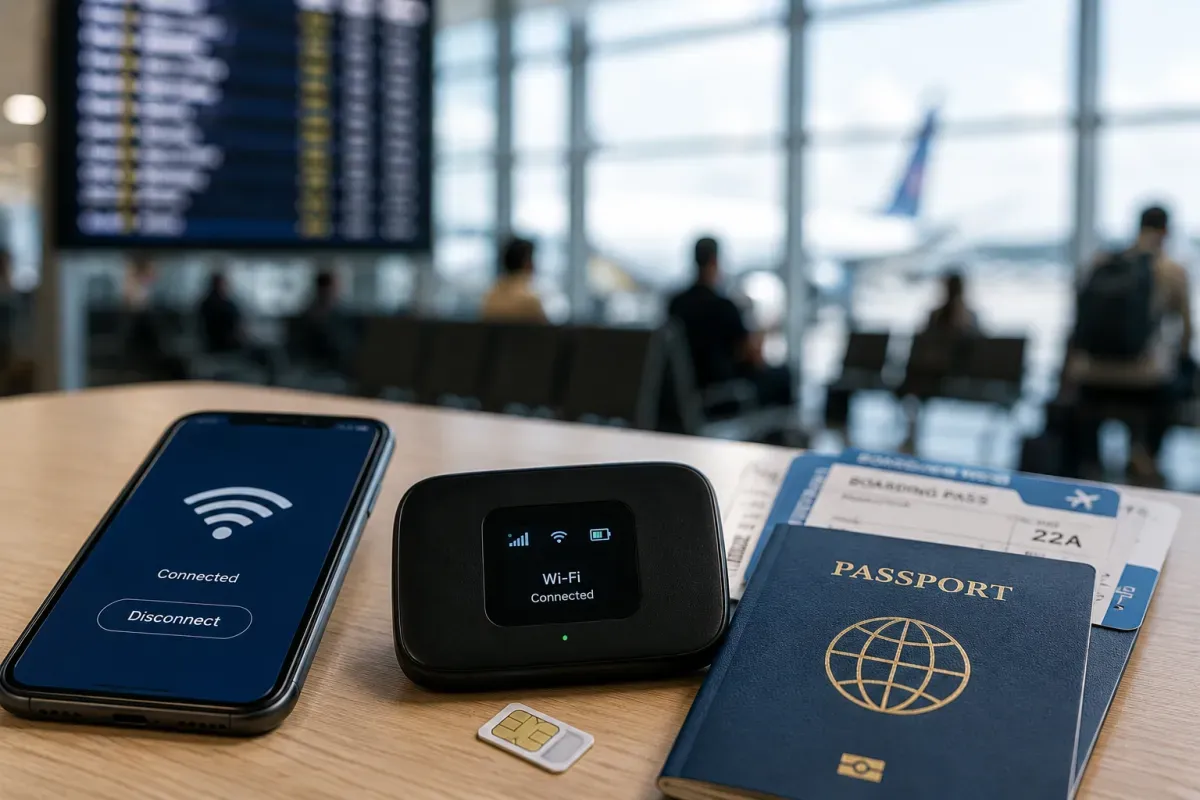
If your phone supports eSIM, it is the easiest option for Switzerland. Buy a travel eSIM online before you arrive from providers like Airalo, Holafly or the Swiss operators, then scan a QR code to be connected on landing with no physical card. Many plans cover Switzerland alone or bundle it with the wider region. Check your phone is eSIM-compatible and unlocked first.
- Best for
- eSIM phones
- Setup
- Scan QR code
- Buy
- Before arrival
- Connected on landing, no physical card
- Confirm phone is eSIM-ready and unlocked
Wi-Fi Availability
Public Wi-Fi coverage and security
Free Wi-Fi is widely available in hotels, cafes, restaurants, museums and many trains and stations. Zurich and Geneva airports offer free wireless, and the SBB app and station areas often have connectivity. Speeds are reliable. For security on public networks, avoid sensitive logins or use a VPN. Mountain resorts and lifts increasingly offer Wi-Fi too.
- Where
- Hotels, cafes, trains
- Airports
- Free Wi-Fi
- Security
- Use a VPN
- Many trains and stations offer Wi-Fi
- Use a VPN on public networks
Internet Restrictions & VPN
Blocked services and VPN recommendations
Switzerland has an open, uncensored internet, so social media, messaging, video calls and news sites all work normally. There is no great firewall and VPNs are legal and freely used. You can access your usual apps and services just as at home. The main practical limits are data costs and mountain signal gaps, not government blocking.
- Access
- Open, uncensored
- VPN
- Legal
- Apps
- Work normally
- No blocking of social media or messaging
- Limits are cost and mountain coverage
Useful Local Apps
Must-have apps for transport, translation, and maps
The essential app is SBB Mobile for train, bus, boat and lift timetables and tickets across the whole country. Add MeteoSwiss for accurate mountain weather, Google Maps or Maps.me for offline navigation, and a translation app for the four national languages. The MySwitzerland app helps with sights and routes. Download tickets and offline maps before heading into the mountains.
- Transport
- SBB Mobile
- Weather
- MeteoSwiss
- Maps
- Offline maps
- SBB Mobile covers trains, buses, boats, lifts
- Download offline maps for the mountains
International Calls
How to make international calls and alternatives
Switzerland's country code is +41, and you drop the leading zero of a local number when calling from abroad. For most travellers, apps like WhatsApp, FaceTime and Signal over Wi-Fi or data are the cheapest way to call home. The single emergency number is 112, with police on 117, fire on 118 and ambulance on 144. Save these before you travel.
- Code
- +41
- Cheap calls
- Wi-Fi apps
- Emergency
- 112
- Drop the leading zero when calling from abroad
- Police 117, fire 118, ambulance 144